Margin
YOUR WORKSPACE, JUST TO THE SIDE

A little space for
everything on your Mac.

Web apps, AI, files, and thoughts.
One quiet workspace at the edge of your Mac.

Download for Mac

macOS · Native slide-over workspace

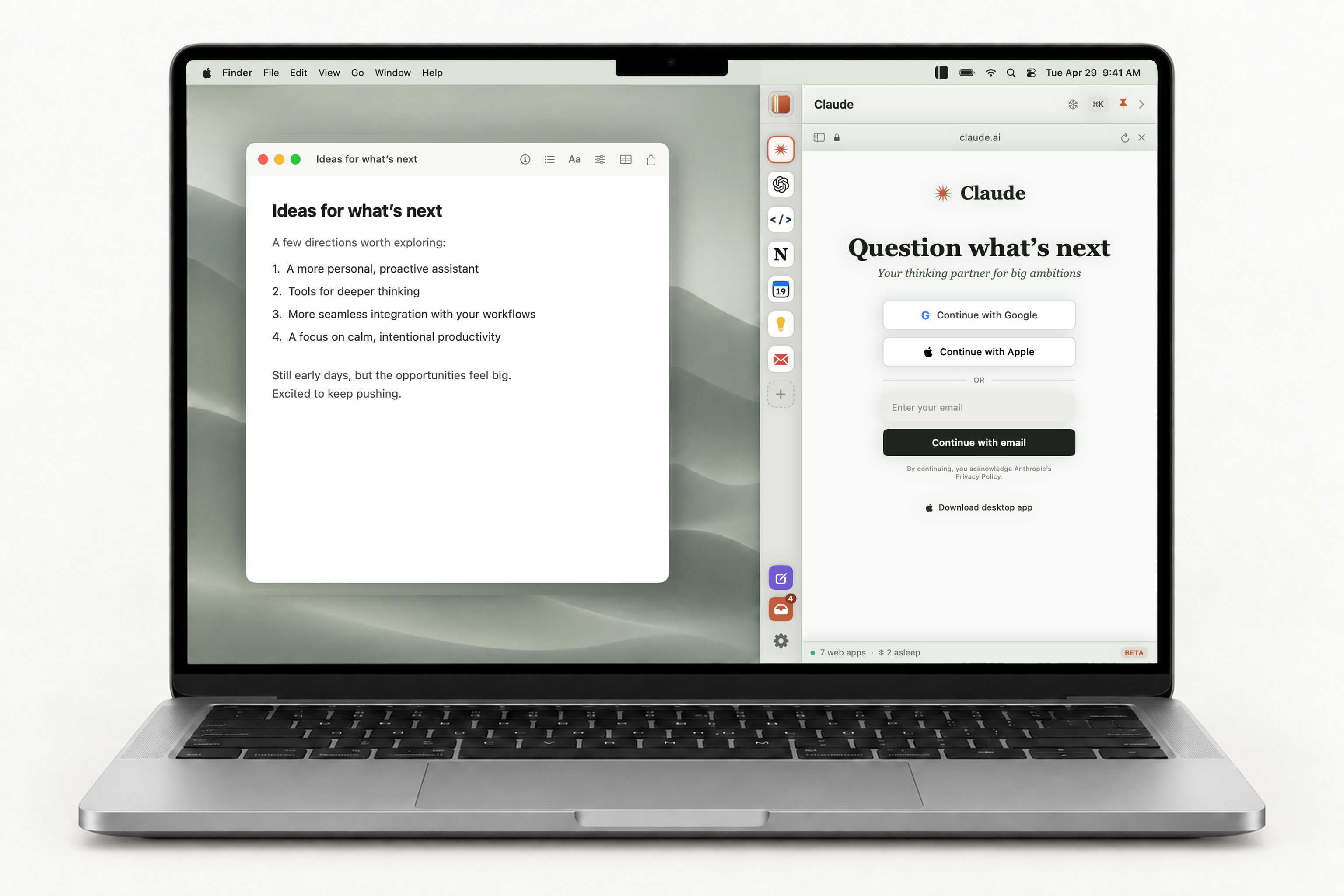
Mockup of a MacBook Pro with a document open on the left and Margin’s Sage-theme panel docked to the right edge of the screen.
Move to the edge. Make room for what’s next.

See Margin at work.

Web apps, AI, live math and the Drop Shelf, all from the edge of your Mac.

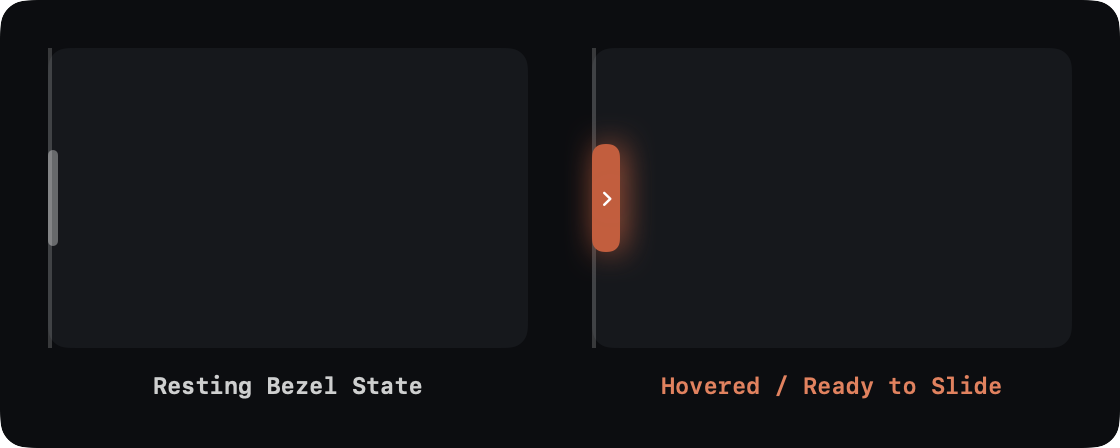
The Whisper Notch at the edge of the screen, at rest and with the pointer over it.
01 / AT THE SCREEN EDGE

Tucked away.
Ready when you are.

The Whisper Notch sits quietly at the edge of your screen. Nudge the edge or tap the notch and Margin slides in. Nudge it again and it’s gone.

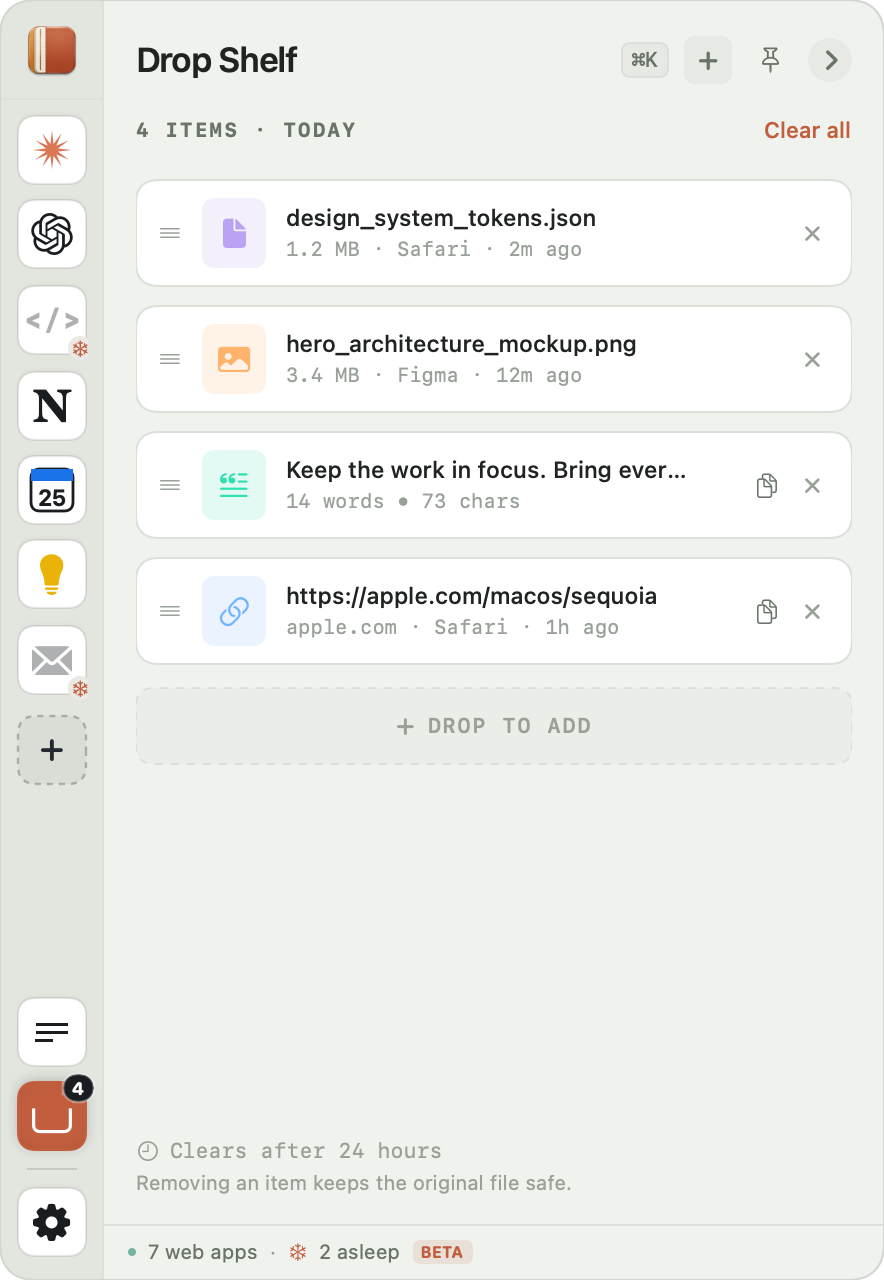
Margin Drop Shelf holding a JSON file, an image, a text snippet and a link.
02 / BETWEEN HERE AND THERE

Put it down.
Pick it up later.

Drop files, links, and snippets. Keep them close while you move between apps. Your originals stay untouched.

03 / THOUGHTS, WITH ANSWERS

Think it through.
Work it out.

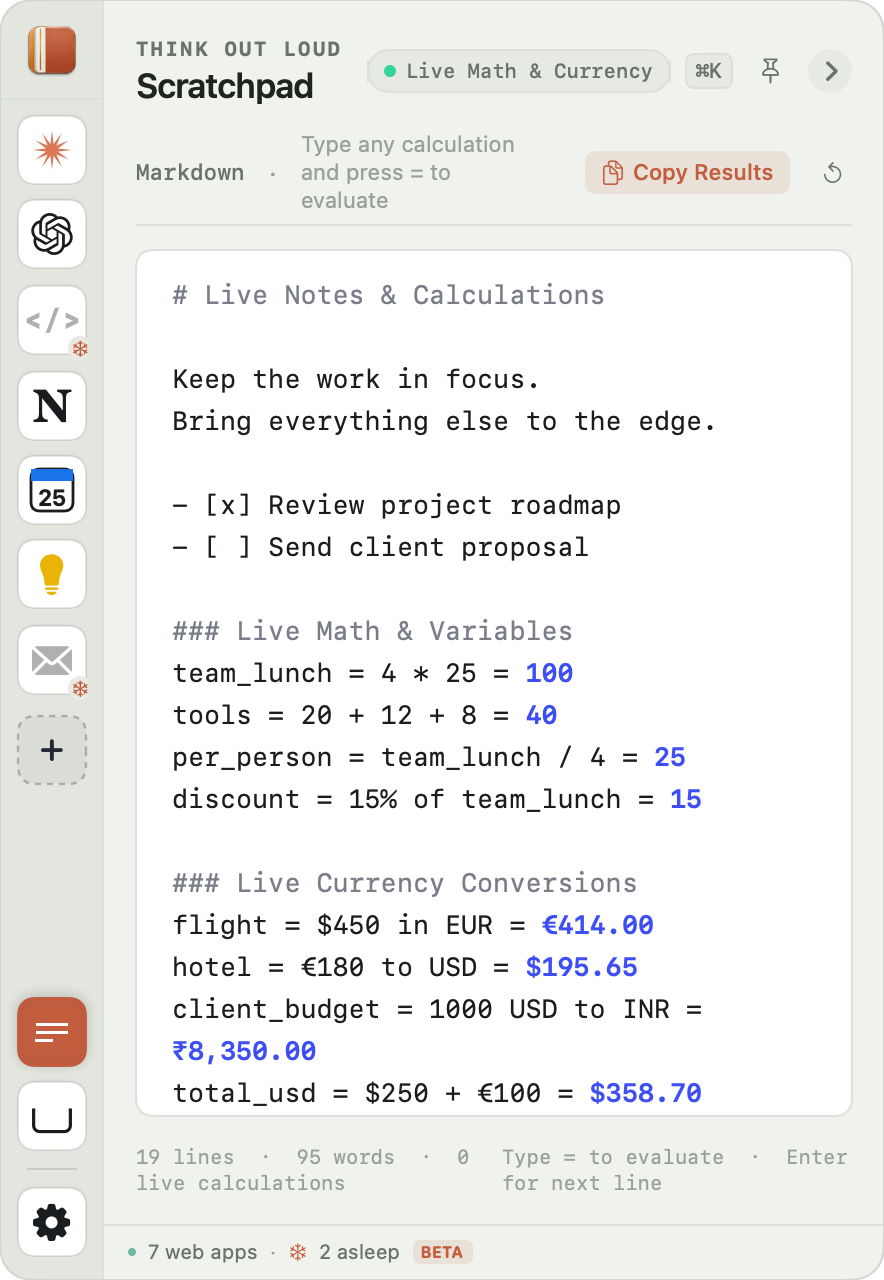
Markdown notes with live math and currency conversions, answered right there on the line.

Margin Scratchpad with Markdown notes, worked-out sums and currency conversions.
04 / A CLOSER LOOK

Every view, up close.
Made for the Mac.

A quick tour of Margin’s real interface, one view at a time.

Margin preview: Web Apps & AI Assistants

Web Apps & AI Assistants

Claude, ChatGPT, Perplexity, your calendar, your docs. Each in its own tab, one nudge away.

05 / THE LITTLE DETAILS

More capable.
Still out of your way.

One command away.

Jump to any tab, tool, or action.

⌘K
Let quiet tabs rest.

Idle tabs take a nap and wake right where you left off.

Tab hibernation

More than a quick calculation.

Variables, percentages, and currencies, right in your notes.

budget = 2400 + 3 * 1802940
tax = 20% of budget588
£588 in USD$788.04
Example rate: £1 = $1.34

Your corner of the Mac.

Eight themes. Adjustable width. A rail on either side.

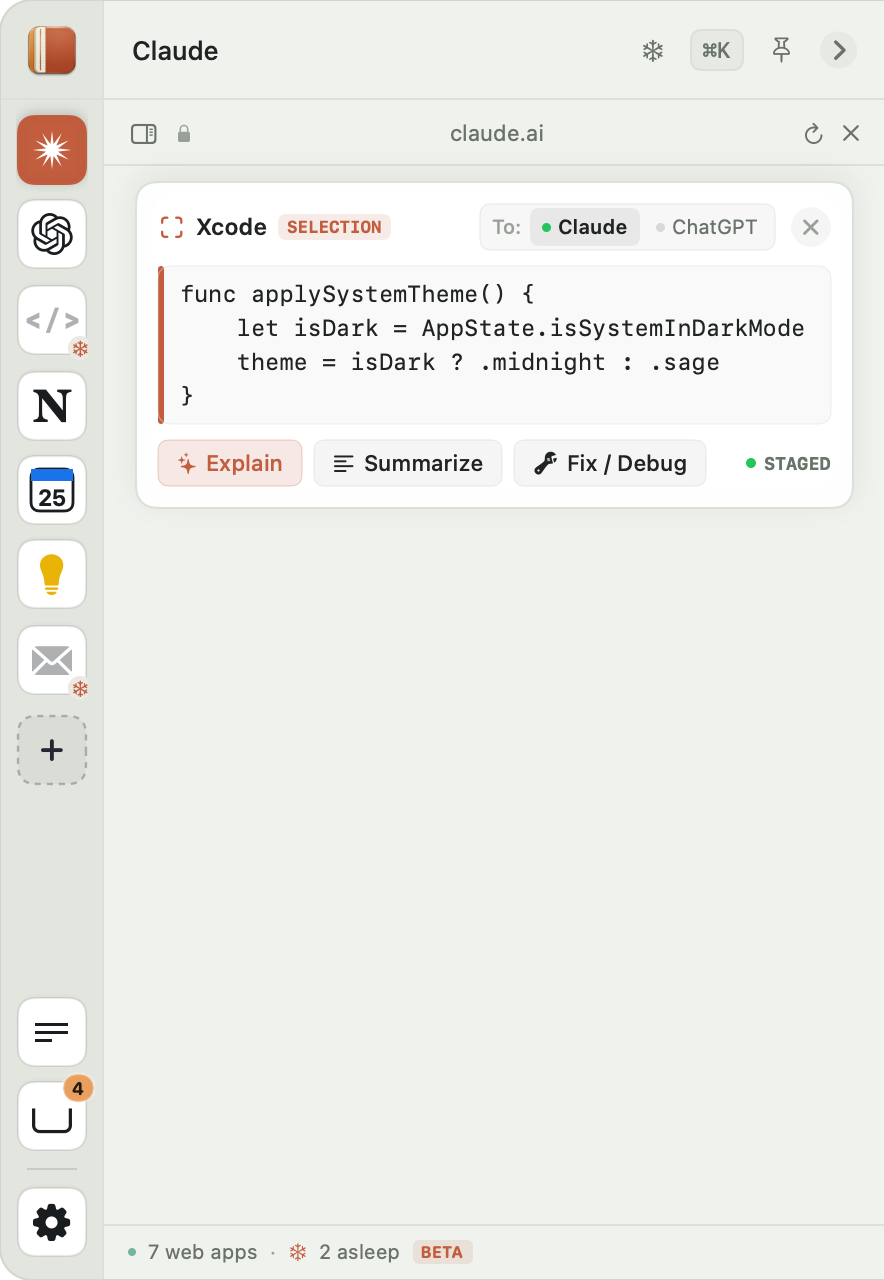
Ask about anything on screen.

Highlight text in any app, press ⌥A, and bring it straight into your AI conversation.

THE IDEA IS SIMPLE

Your main apps are where
the work happens.
Margin is where everything
around the work goes.

Margin App Icon

Make a little room for Margin.

Download Margin for Mac

Built for macOS.

MARGIN